Skylight's flyer import, Magic Import, needs Plus at $79 a year. To skip it, photograph the flyer in Calendara and save the events to the Google Calendar your Skylight already follows. They show on the Skylight after its next calendar sync.
Reading this on a computer? Calendara is an iPhone app. Open this page on your phone, or get the download link and scan the code.
Put This Guide Into Practice
Download Calendara and start organizing your family calendar today.
Why flyer import is behind Plus
As of November 2026, Skylight puts Magic Import, meal planning, chore rewards and the photo screensaver behind Skylight Plus, at $79 a year. Syncing a calendar to the display is free. Per Skylight's help center, that includes syncing an online calendar such as Google Calendar.
So the gap is small. Your Skylight can already show a Google Calendar. What it charges for is the step before that: reading the flyer and creating the events. You can do that step somewhere else.
How do I add school flyers to a Skylight without Plus?
These are the steps. Your Skylight needs nothing new; it only needs to follow the Google Calendar that Calendara saves to.
Step 1: Connect the same Google Calendar in Calendara
Use the Google Calendar your Skylight already syncs with. If you have not linked Google Calendar to your Skylight yet, do that in Skylight's settings first. Then connect that same Google account in Calendara, and pick that calendar when you save events.
Step 2: Take a photo of the flyer
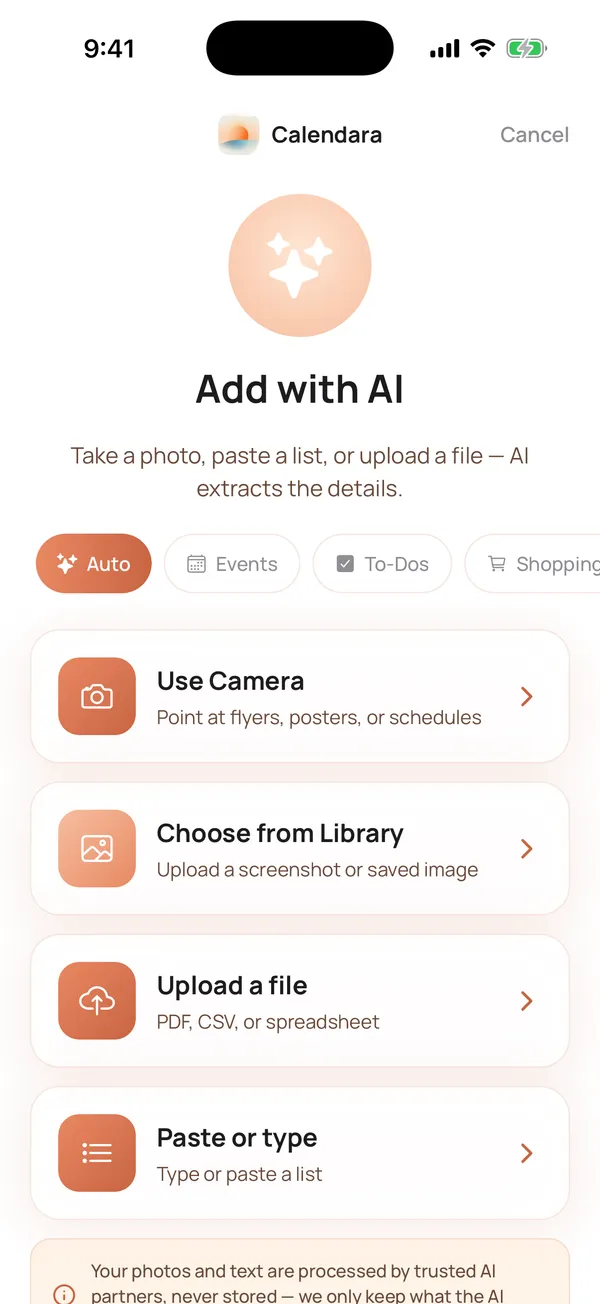
Open Add with AI in Calendara and take a photo of the paper flyer. A PDF or a screenshot from the team email works too.
Step 3: Check the events and save
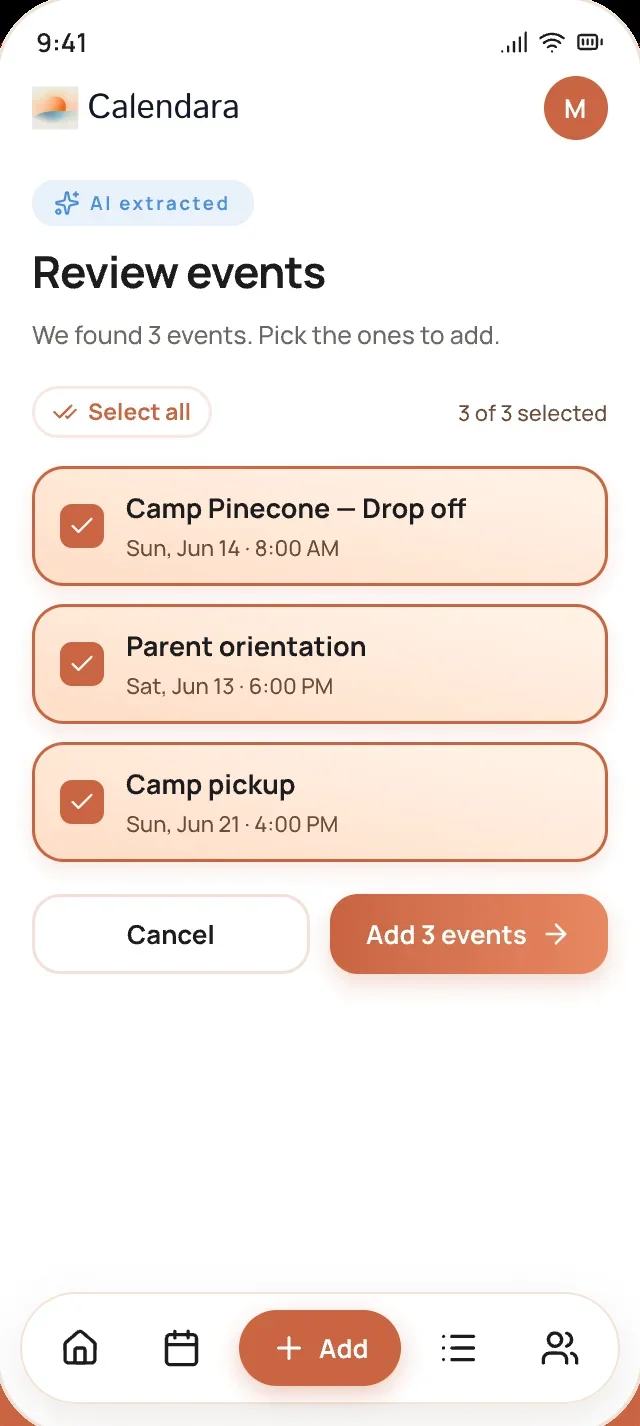
AI reads every date on the flyer, with the title, time and place. You see the list before anything is saved. Fix a time, uncheck what you don't want, then save.
Step 4: Watch them appear on the Skylight
Calendara syncs two-way with Google Calendar, so the saved events land in your Google Calendar. Your Skylight shows them after its next calendar sync.
How fast do the events show up?
There are two hops. First, Calendara to Google Calendar. In November 2026 we checked 449 recent events made in Calendara: half reached Google Calendar within 5 minutes, and about 3 in 4 within 15 minutes.
Second, Google Calendar to the Skylight. That happens when Skylight next syncs, and Skylight sets that timing, not us. We have no Skylight device, so we have not timed that hop. Don't count on an exact minute.
What you still give up without Plus
Calendar sync covers the events. These stay on Plus:
- Meal planning
- Chore rewards
- The photo screensaver
Your calendar, chores and lists keep working on Skylight's free plan. If meal planning and chore rewards on the screen matter to you, Plus is the right call. If you mostly use the Skylight to see the week, the flyers were the part worth replacing.
Which route fits you?
- You use the Skylight for the calendar. Keep it. Use Calendara for flyers, and skip Plus.
- You want meal plans and chore rewards on the wall. Plus gives you those, and Magic Import comes with it.
- You have not bought a screen yet. Our Skylight alternatives guide compares seven options, with and without a screen.
Want the full walkthrough of the photo step? See photo to calendar.
New families get a 7-day free preview, then $4.99/mo or $39.99/yr. One subscription covers the whole family.
Bottom line
Skylight charges $79 a year for Plus, and flyer import is one of the reasons. You can keep your Skylight, photograph the flyer in Calendara, and let Google Calendar carry the events to the wall. A 7-day free preview, then $4.99/mo or $39.99/yr.
Put This Guide Into Practice
Download Calendara and start organizing your family calendar today.