You book work meetings through Calendly. Your family runs on Calendara. If the two don't talk, two things go wrong: a client books the hour you're at your kid's dentist, or every family event blocks you, and "Grandparents visiting" wipes out your whole Friday.
This guide connects them in about five minutes, so Calendly sees your family appointments, and only the ones that should block your time.
How Calendly sees your family calendar
Calendly doesn't read Calendara directly. It reads your Google Calendar (or Outlook) and asks one question about each event: is this time busy or free?
So the job is to get the right family events into Google, each marked busy or free correctly. Calendara gives you a personal calendar link for exactly that:
- Only your events. The link has the events assigned to you, plus events you added with no one assigned. Your partner's events stay out.
- Correct busy and free. Timed events are Busy. All-day events are Free by default, so they show up without blocking the day.
- Private stays private. A private event appears as "Busy", with no title, place or notes.
Step 1: Copy your calendar link
In the Calendara app, open Settings → My calendar link and tap Copy link.
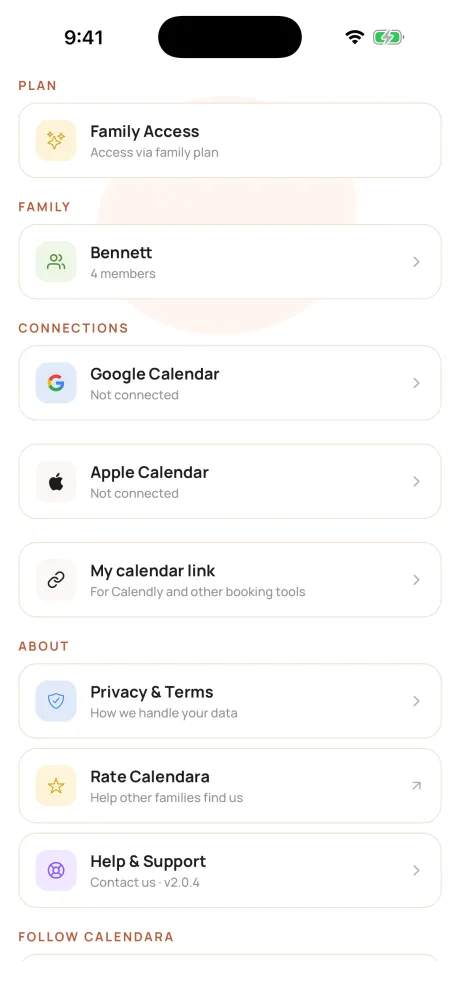
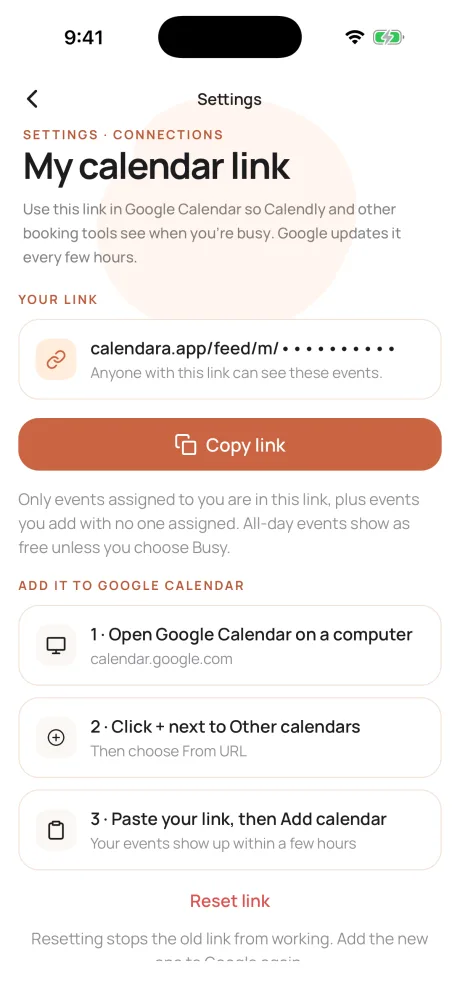
Family admins can also copy a link for someone without an account, such as a nanny: open Family, tap the person, and use the Calendar link card.
Step 2: Add it to Google Calendar
Google only offers this on the web, so use a computer:
- Open calendar.google.com.
- Click + next to Other calendars, then From URL.
- Paste your link and click Add calendar. Leave "Make the calendar publicly accessible" unchecked.
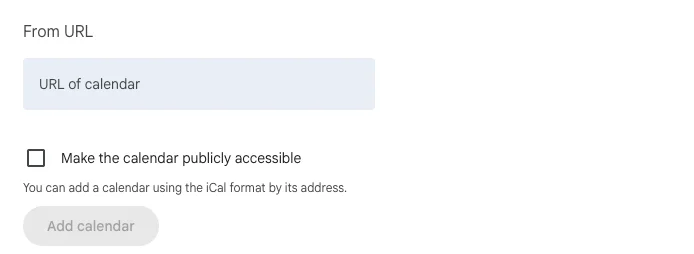
Your events appear under Other calendars within a few minutes.
Step 3: Turn it on in Calendly
In Calendly, open your calendar settings (Scheduling settings → Calendars):
- Under Calendars to check for conflicts, click Checking 1 calendar below your Google account.
- Tick the calendar you just added. Google names it after you, for example "Sam (Calendara)". Keep your work calendar ticked too.
- Click Update.
Calendly now skips any time that's busy on that calendar. We tested it: a 4:30 pm Calendara event removed the 4:30 slot from the booking page, and a day with an all-day family event kept every slot open.
Step 4: Decide what blocks your time
Every Calendara event has a Show as setting:
- Timed events are Busy by default. "Sam – physio, Wed 12:00" blocks that hour in Calendly.
- All-day events are Free by default. "Grandparents visiting" shows on your calendar, but Calendly still offers that day.
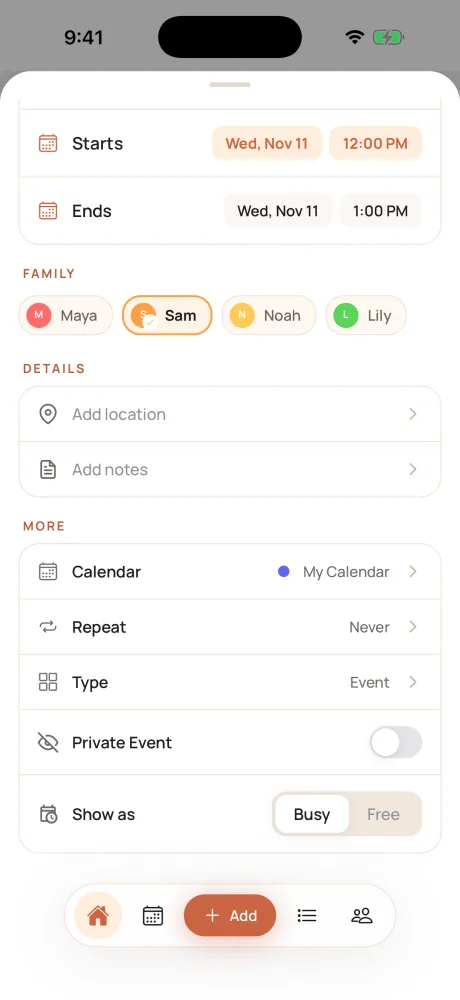
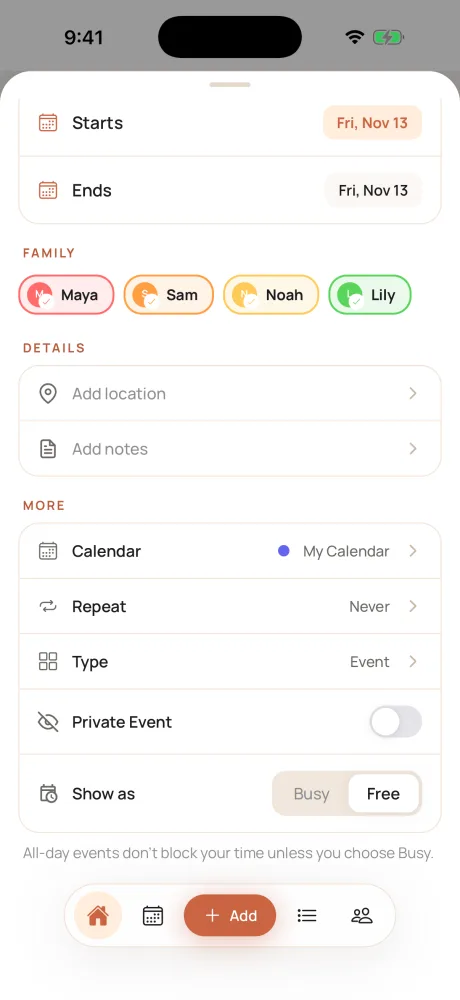
Want a whole day blocked, like a family trip? Open the event and choose Busy.
What this looks like in practice
The Bennetts: Maya, Sam, and their kids Noah and Lily. Sam takes client calls through Calendly.
| Family event | Assigned to | In Sam's link? | Blocks Sam in Calendly? |
|---|---|---|---|
| Sam – physio, Wed 12:00 | Sam | Yes | Yes, it's Busy |
| Noah – dentist, Tue 3:00 | Maya and Noah | No | No |
| Grandparents visiting, all day Fri | Everyone | Yes | No, all-day is Free |
| Family trip, all day Sat (set to Busy) | Everyone | Yes | Yes |
Good to know
- Updates aren't instant. Google refreshes subscribed calendars on its own schedule, usually within a few hours and sometimes up to a day. For a same-day appointment, also add a quick hold on your work calendar.
- Already syncing Google Calendar in Calendara? Your synced events are already in Google, so Calendly may see some events twice. That's fine for timed events. An all-day event that synced before November 2026 may still count as busy in your main Google calendar: open it in Google and set it to Free.
- Treat the link like a key. Anyone with it can see the events in it. If it ends up somewhere it shouldn't, tap Reset link in Calendara. The old link stops working right away; add the new one to Google.
- Other booking tools work the same way. YouCanBookMe and other tools that check Google Calendar for conflicts can use the same calendar.
Quick checklist
- Events are assigned to the people they're for
- You copied your link from Settings → My calendar link
- The link is added in Google Calendar with From URL
- Calendly checks that calendar for conflicts
- All-day events you want to block are set to Busy
Put This Guide Into Practice
Download Calendara and start organizing your family calendar today.
Questions or a booking tool we should test? We read everything: hello@usecalendara.com.