To put a to-do on your family calendar, open an event in Calendara and tap Add a to-do. The to-do is linked to that event and shows under that day's events in the Calendar tab, where you can tick it off. You can also assign it to someone in your family.
This guide covers adding a to-do from an event, picking the date, assigning it, and ticking it off from the day.
How do I add a to-do to an event?
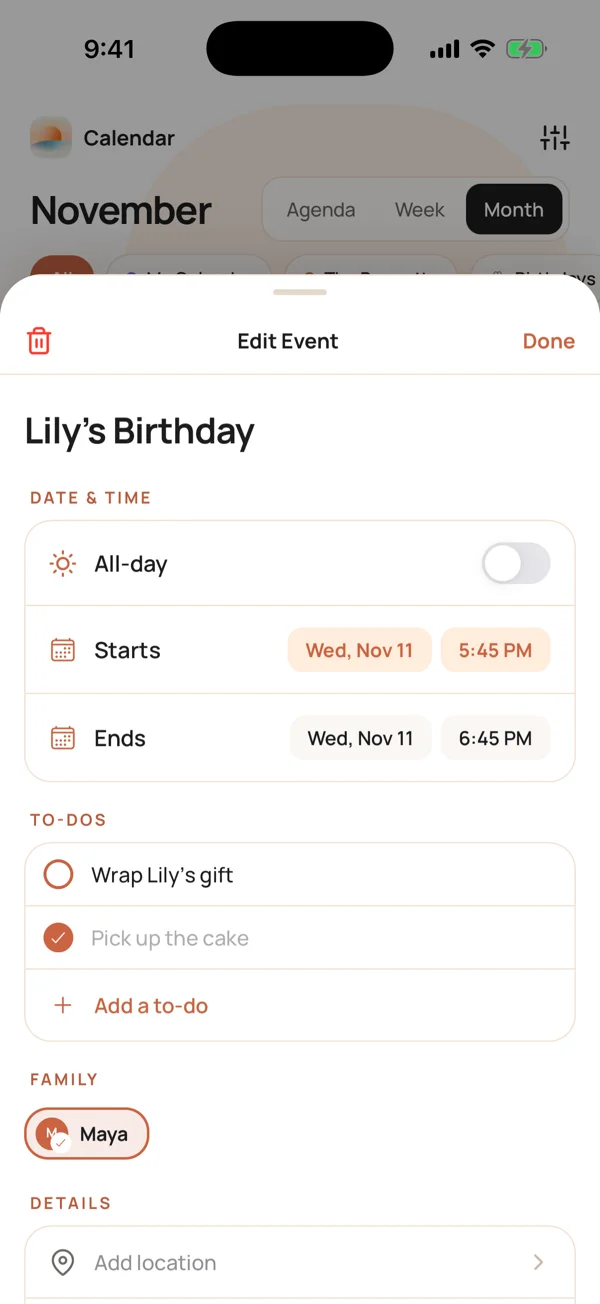
Lily's birthday party is on the Bennett family calendar. Maya needs someone to wrap the gift before it. Here is what she does.
- Open the Calendar tab and tap Lily's Birthday.
- In the To-dos section, tap + Add a to-do.
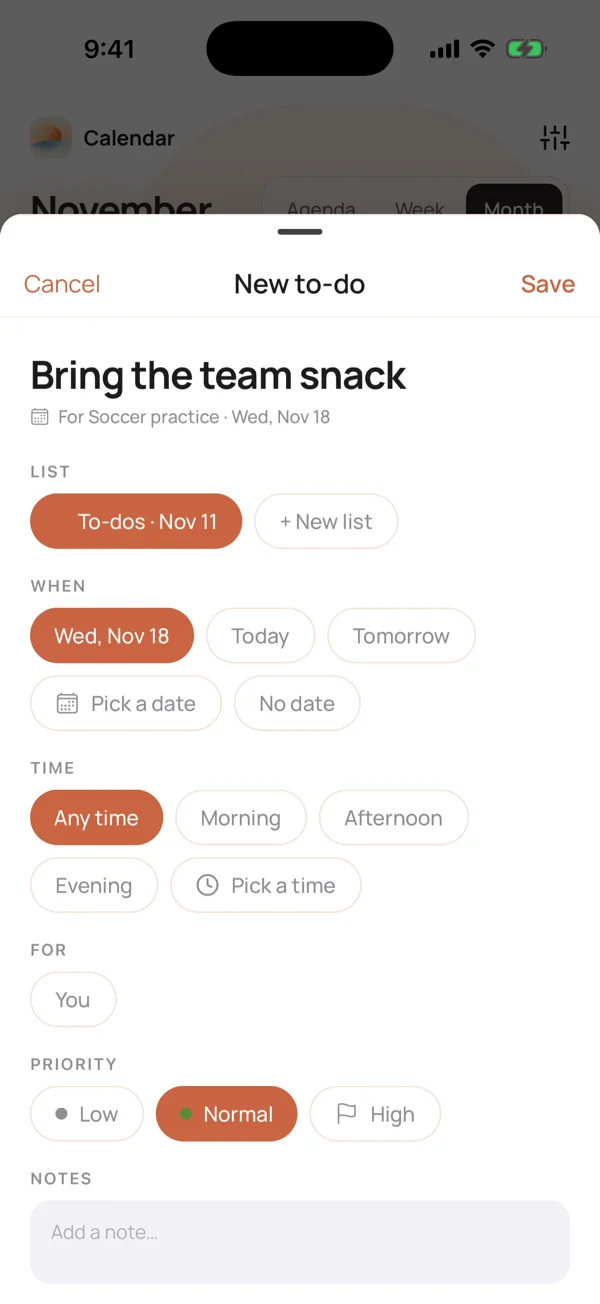
- Type what needs doing: "Wrap Lily's gift".
- Check the date and time (more on those below).
- Tap Save.
The to-do now shows in the event's To-dos section, and in the list it belongs to.
What date and time can a to-do have?
A to-do you add from an event starts on the event's day, so it shows up on the right day without any extra taps. You can change it.
When
- The event's day (the default)
- Today
- Tomorrow
- Pick a date, which opens a month calendar
- No date, for a to-do that is not tied to a day
Time
- Any time (the default)
- Morning
- Afternoon
- Evening
- Pick a time
Use Morning, Afternoon or Evening when you only care about the part of the day. Use Pick a time when it has to happen by a clock time. The time sets the to-do's order within its day. Calendara does not send reminders for to-dos.
Where do I see my to-dos on the calendar?
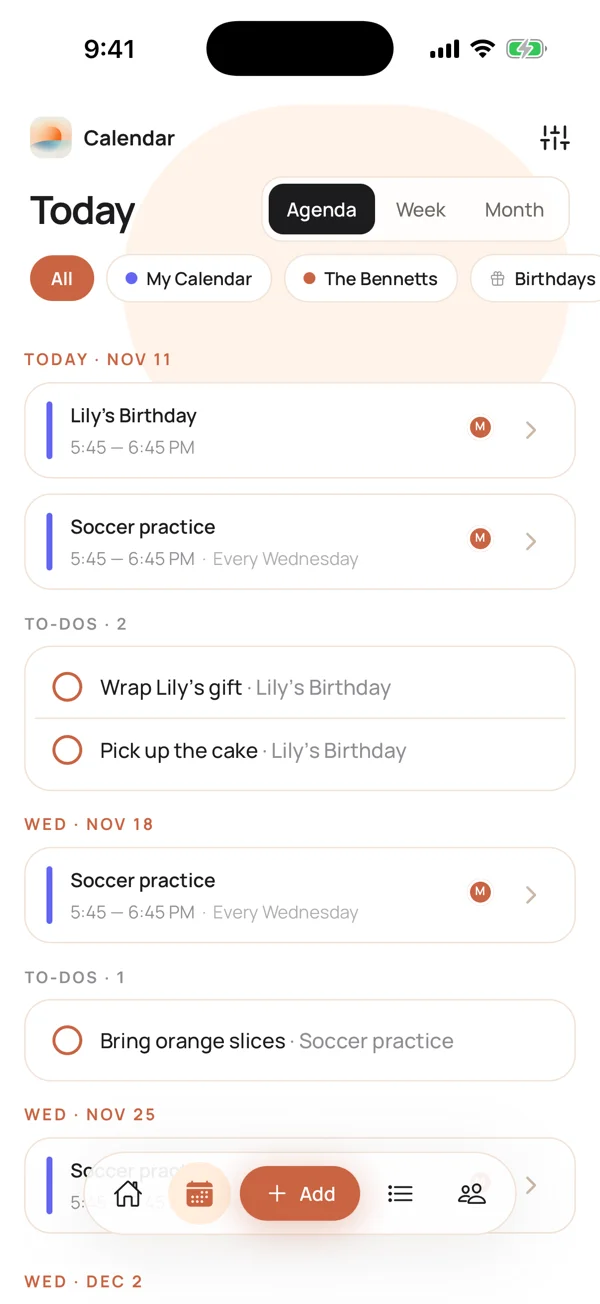
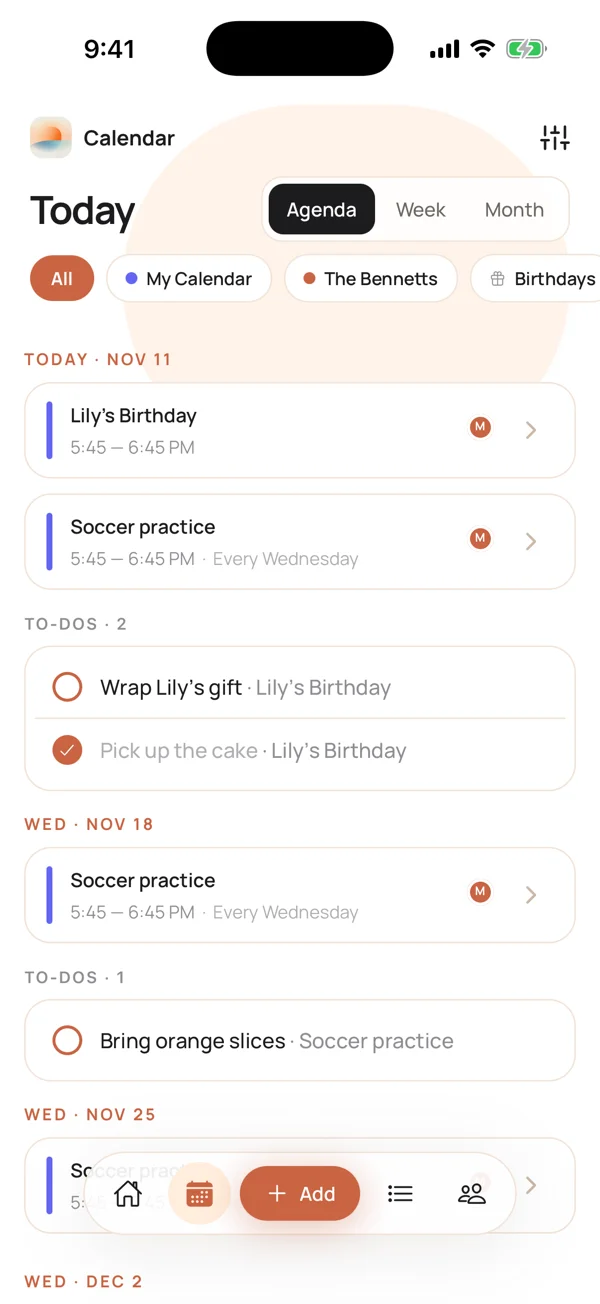
A to-do with a date appears under that day's events in the Calendar tab. In the Agenda view, each day shows its events first, then a To-dos group with a count. The to-do shows the event it belongs to, like "Wrap Lily's gift · Lily's Birthday".
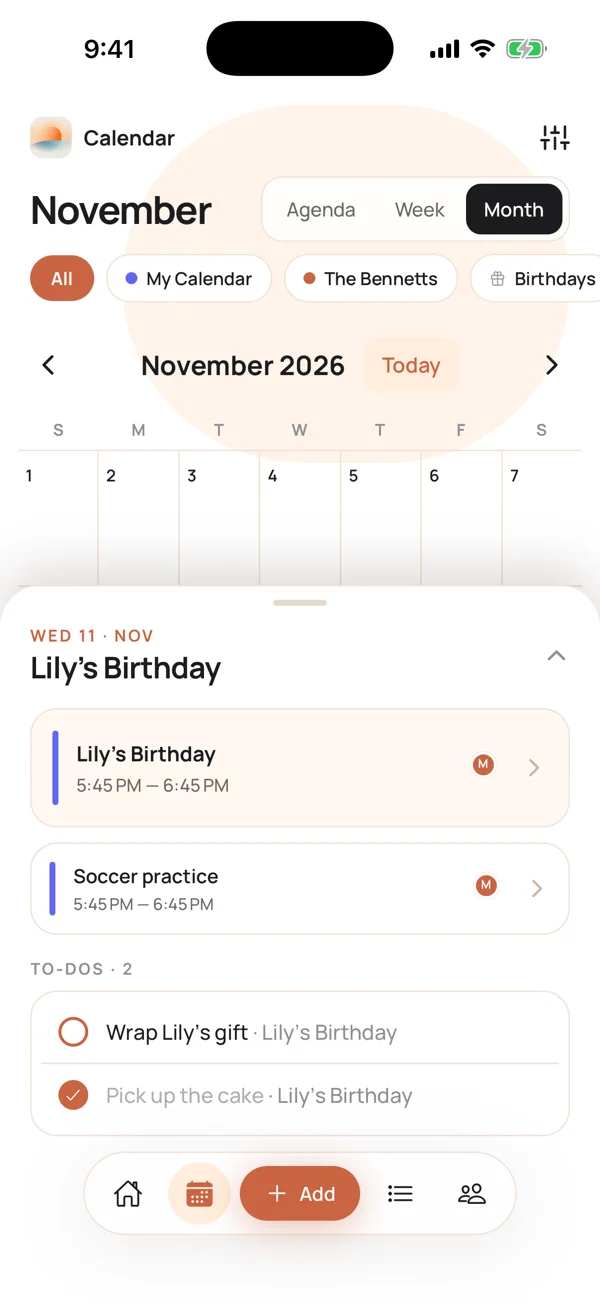
In the Month view, tap a day. The day list shows the events and the to-dos for that day.
How do I tick a to-do off from the calendar?
Tap the circle next to the to-do, right where it sits under the day's events. The circle fills in and the title is crossed out. You do not have to open the list or the event.
This is the point of putting to-dos on the calendar. Sam opens the calendar to check what is on today, sees "Wrap Lily's gift" under Lily's party, and ticks it off before he leaves.
What happens with a weekly event?
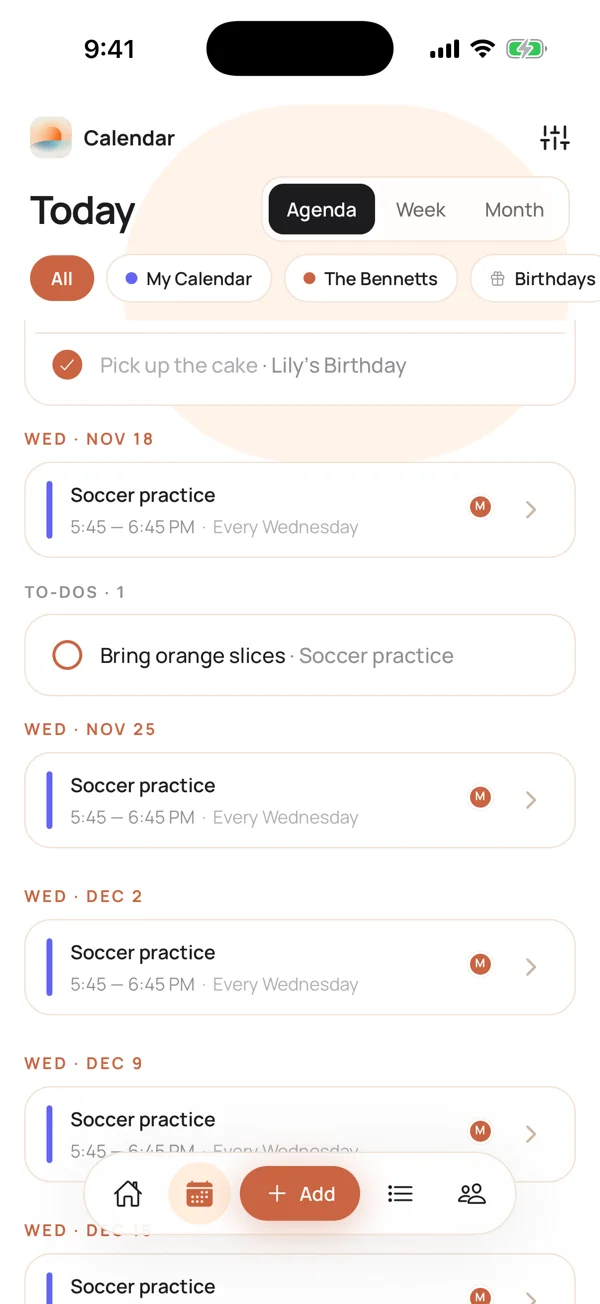
For an event that repeats, the to-do is linked to that one week. Maya adds "Bring orange slices" to Wednesday's soccer practice, and it shows under Wed, Nov 18 only. It does not appear under every Wednesday.
How do I add a to-do from a list?
You can also start from a list instead of an event. The Lists tab holds your to-do and shopping lists. Add the to-do there, and use the same When row to give it a date. When it has a date, it shows on the calendar under that day too. The Add button at the bottom of the app also has an Add task option, described as "Assign it to anyone".
New lists start with a name that includes the date, like "Groceries · Nov 11", so you can tell them apart at a glance. You can rename a list any time.
For how lists work and how to share them, see how to share a shopping or to-do list with your family.
How do I assign a to-do to someone?
In the For row of the new to-do, choose a family member instead of You. Maya chooses Sam for "Wrap Lily's gift".
Sam gets one notification: "Maya assigned you a to-do". He does not get a stream of updates after that.
Assigned to-dos show on the calendar under their day like any other, so the whole family can see who has what. Everyone needs the Calendara app on an iPhone. Here is how to get them into your family.
What if I delete the event?
The to-do stays. Deleting an event keeps the to-dos that were linked to it. If the party is cancelled but the gift is already wrapped, the to-do is still there to tick off or remove.
Good to know
- iPhone only. Calendara is an iPhone app. There is no Android or web app.
- To-dos stay in Calendara. They do not show up in Google Calendar or Apple Calendar, even if your events do.
- No to-do reminders. The only notification is the one a family member gets when you assign them a to-do.
- No list links. Lists are shared with family members inside the app. A list has no public link.
- A to-do with No date stays in its list and does not show under a day.
Quick checklist
- You opened the event and tapped + Add a to-do
- The date is the day you want, or you picked Today, Tomorrow or a date
- The time is right: Any time, a part of the day, or a clock time
- It is assigned to the right person in the For row
- You can see it under the day in the Calendar tab and tick it off there
Put This Guide Into Practice
Download Calendara and start organizing your family calendar today.
Questions about to-dos? We read everything: hello@usecalendara.com.