A weekly family check-in is a 15-minute Sunday routine. You put the family calendar on a big screen, walk the week day by day, check the shared lists and decide who does what. The trick that makes it work is seeing the week big, on a laptop or a TV, instead of passing one phone around the couch.
Here is the routine the Bennetts use: Maya, Sam, Noah (10) and Lily (7).
Why a weekly check-in works
Most family chaos is not a big thing. It is a small thing nobody saw coming. Sam finds out on Wednesday that Maya has a late meeting, and now nobody is picking up Lily from art.
A weekly check-in catches that on Sunday. Everyone hears the same week at the same time. Conflicts show up while you can still fix them. Kids learn what is coming, so there are fewer "wait, I have what?" moments.
It also works because it is short. Fifteen minutes with a plan beats an hour with none.
How do I put the family calendar on a big screen?
You share your family calendar with a link, then open that link on the computer or TV.
- In Calendara, open the Calendar tab and tap the sliders button.
- Tap the share icon on the calendar that holds your family's events. It has to be a calendar you own, like the Bennetts' "Bennett home". The shared family view at the bottom of that sheet has no share icon.
- Tap Share Calendar and send the link to yourself, or copy it. The full walkthrough is here.
- On Sunday, open the link in a browser on a laptop or a smart TV. Or open it on a laptop and cast or AirPlay the browser to the TV.
The page shows the calendar name, the Next up events in big type, and the whole schedule below.
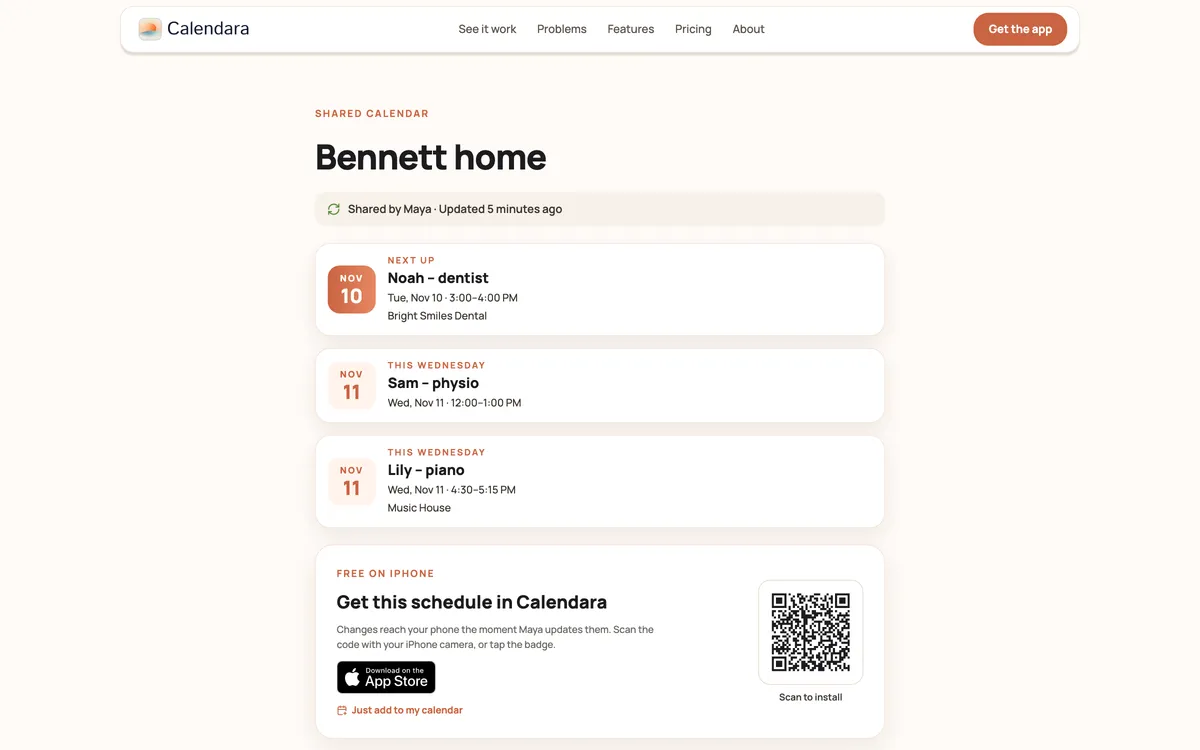
Two honest notes:
- The page is read-only. You cannot add events from the big screen. Add them in Calendara on an iPhone, as you go.
- Treat the link like a key. Anyone who has it can see the events. Keep it on your own laptop and TV. Do not post it in a group chat.
The 15-minute agenda
| Minutes | What you do | Who leads |
|---|---|---|
| 0 to 2 | Look at the week. Read out the next 3 events. | Lily |
| 2 to 8 | Walk the week day by day. Who is where, who drives, what needs prep. | Maya |
| 8 to 10 | Spot conflicts and decide who fixes each one. | Sam |
| 10 to 13 | Check the shared Groceries and to-do lists. Assign tasks. | Noah |
| 13 to 15 | Add anything missing. Say who owns what. | Everyone |
Walk the week day by day
Start at Monday and go slowly. For each day, ask the same four questions:
- Who is where? School, work, practice, a friend's house.
- Who drives? Name one person for each trip.
- What needs prep? Cleats, a form, a snack, a gift.
- Does anything clash? Two kids, two places, one car.
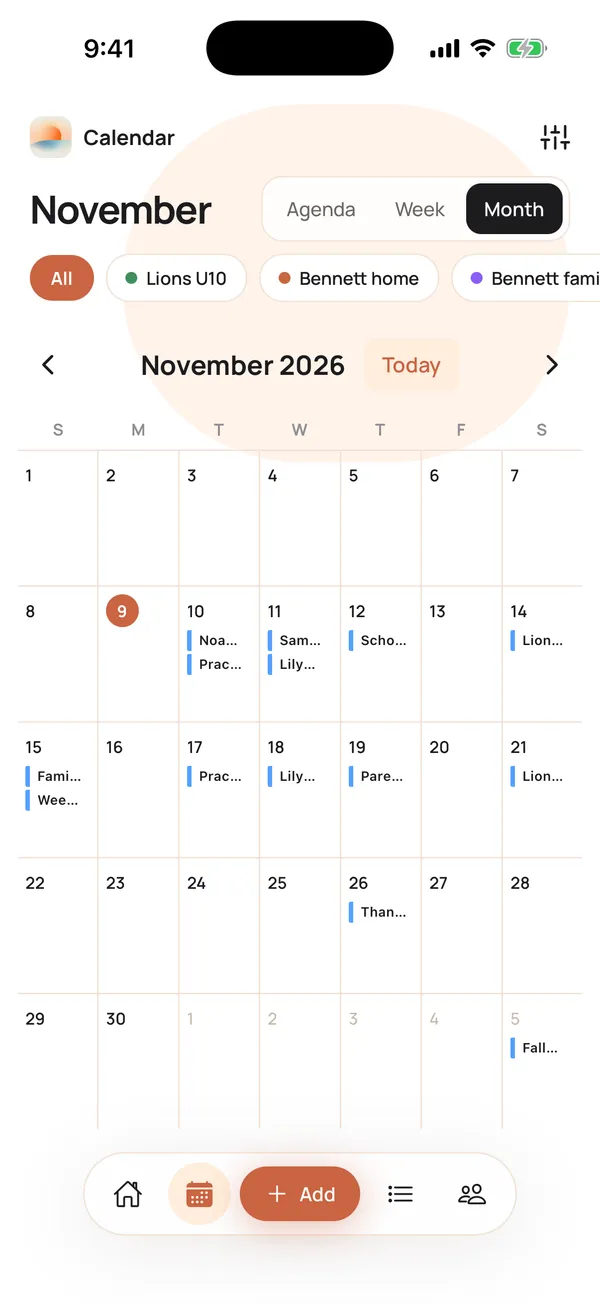
When you find a clash, decide on the spot. Sam takes Noah to practice. Maya asks Grandma to pick up Lily. Then write it into the event so you do not have to remember it.
Check the shared lists
After the calendar, look at the lists. Open the shared Groceries list and ask, "What do we need for this week's dinners and Noah's snack night?" Add what is missing. Check off what you already bought.
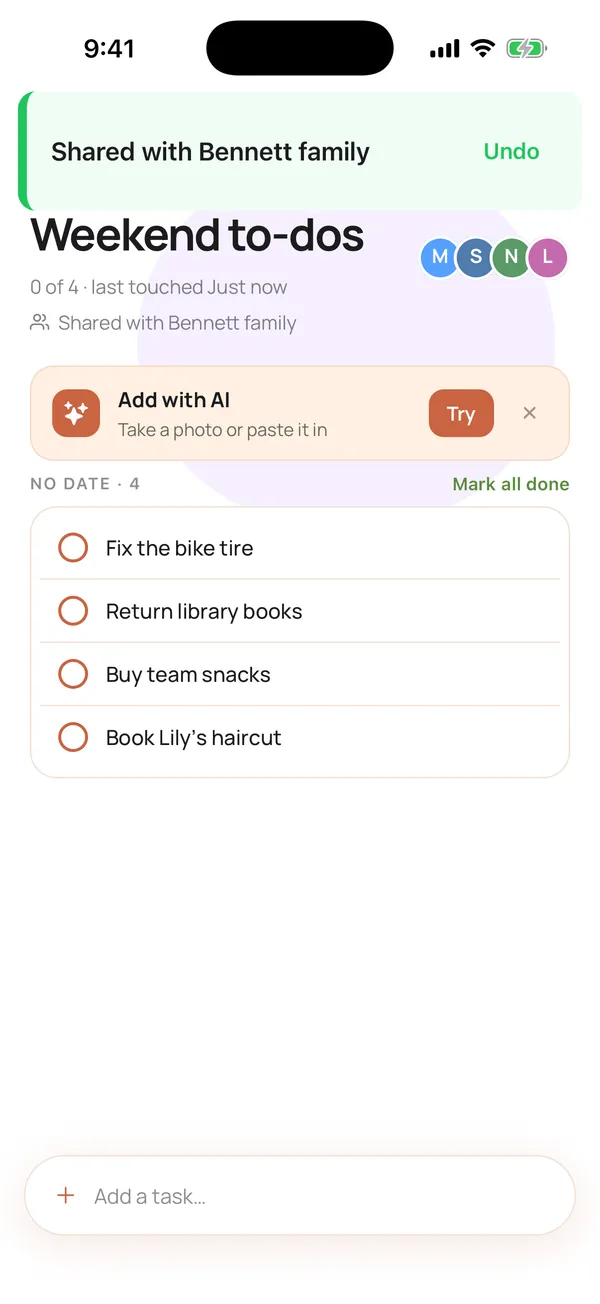
Do the same with the family to-do list. Every to-do can be assigned to a family member, so "Wrap Grandma's gift" goes to Noah and "Book the dentist" goes to Maya. Lists are shared with the family members in the app, so everyone sees the same list on their own phone. If you have not set that up yet, here is how to share a shopping or to-do list with your family.
Add what is missing
Someone always says, "Oh, I also have a thing Thursday." Do not trust your memory. Add it now. The person who has the iPhone open adds the event while everyone watches. If you have a flyer or a school email, take a photo of it in Calendara and the events are drafted for you to review.
Jobs for the kids
Kids join in when they have a real job.
- Lily (7): reads out the next 3 events. She reads the Next up line from the screen. It builds reading skills and gives her a role.
- Noah (10): runs the lists. He checks the Groceries list against the week's meals and says what to add.
- Both: pick one thing to own this week. Noah owns "pack the soccer bag Thursday". Lily owns "feed the fish".
Rotate jobs each week so nobody feels stuck with the boring part.
A simple script
Use words like these to keep it light and short:
- "Okay, big screen up. Lily, what's coming?"
- "Monday. Who's where? Who drives?"
- "Anyone see a clash?"
- "Groceries: what are we missing for dinners?"
- "Anything not on the calendar? Add it now."
- "Last one: what does each of us own this week?"
Finish with a small reward, like popcorn or the pick of the Sunday movie. A good ending is why they will agree to do it next week.
Good to know
- Pick one time. Sunday after dinner works for many families. The best time is the one you keep.
- Keep it to 15 minutes. If a topic needs more, give it its own talk on Monday.
- Edit on the iPhone. The shared page is for looking. Calendara is an iPhone app, so changes happen there.
- Google Calendar can lag. If you added the shared calendar to Google Calendar instead of opening the page, Google refreshes subscribed calendars on its own schedule, usually within a few hours and sometimes up to a day.
- Want more routines? Read our 5 ways to organize your family schedule, or see how to build a family command center.
Quick checklist
- Family calendar shared by link and open on a big screen
- One phone ready to add events
- Week walked day by day: who, where, who drives, prep
- Conflicts solved, with an owner for each
- Groceries and to-do lists checked, tasks assigned
- Every person knows their job for the week
Put This Guide Into Practice
Download Calendara and start organizing your family calendar today.
How does your family run its Sunday check-in? We would love to hear: hello@usecalendara.com.