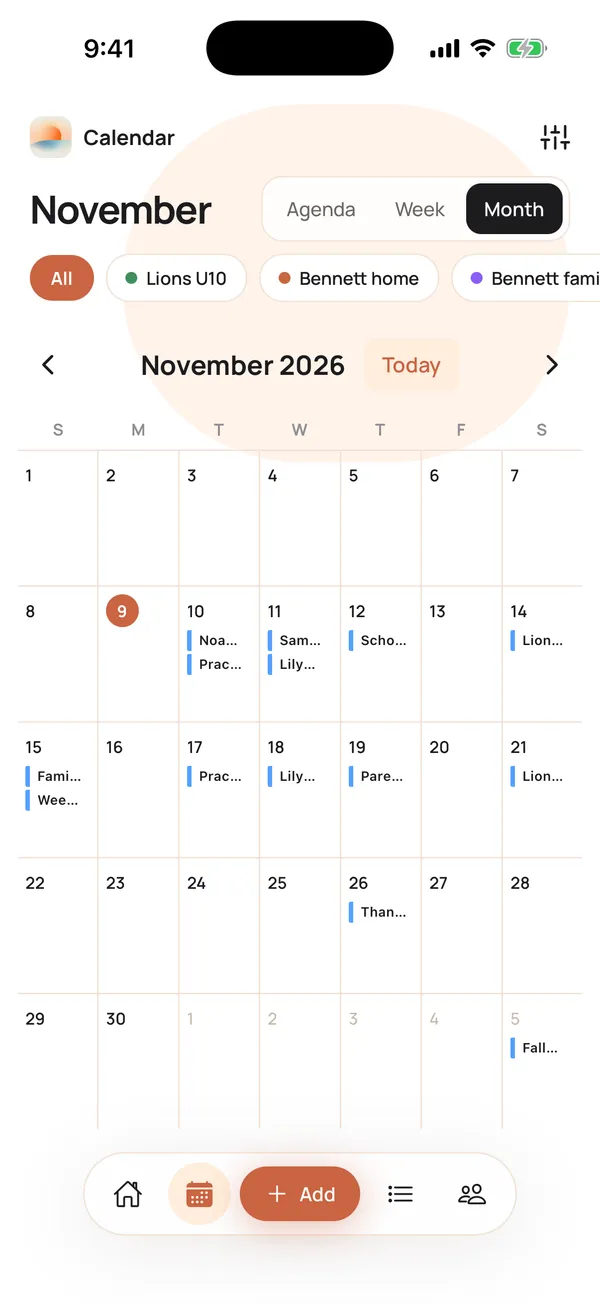
You can share a Calendara calendar with a link in four taps. Open the Calendar tab, tap the sliders button, tap the share icon on a calendar, then tap Share Calendar and send the link by text, WhatsApp or email. The other person needs no account and no app. They open the link on any phone or computer and add the calendar to Google Calendar, Apple Calendar or Outlook.
It is how Maya Bennett keeps the other parents on the "Lions U10" soccer team up to date without typing a single game into a group chat.
How do I share a calendar with a link?
You do this once per calendar. It takes about a minute.
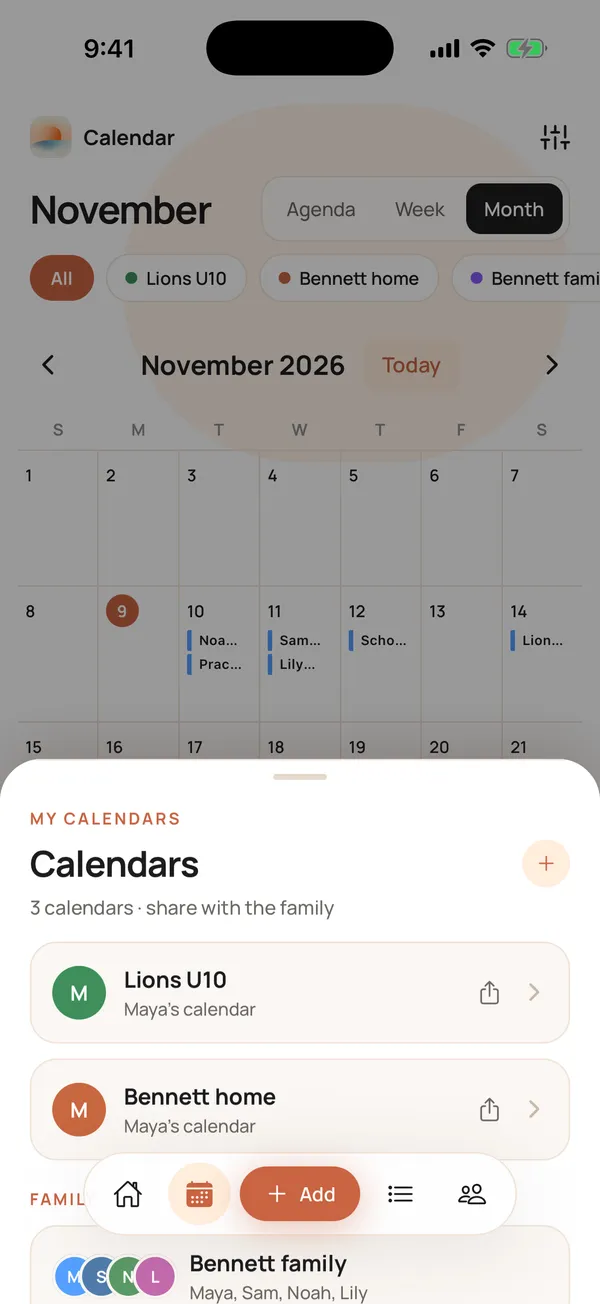
- Open the Calendar tab and tap the sliders button at the top right. It opens your calendars.
- Tap the share icon on the calendar's card. Only calendars you own have it.
- In Sync your calendar, under Share with others, tap Share Calendar ("Send a subscribe link to family & friends").
- Pick Messages, WhatsApp or Mail. The message is ready for you: Here's the "Lions U10" schedule, followed by the link.
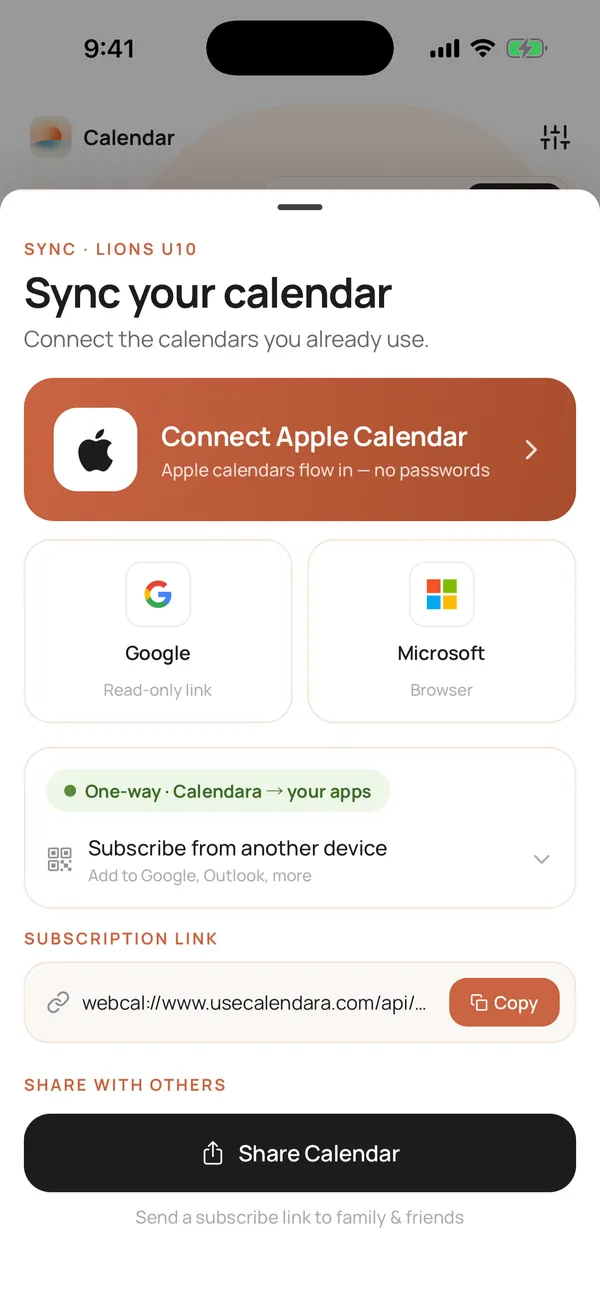
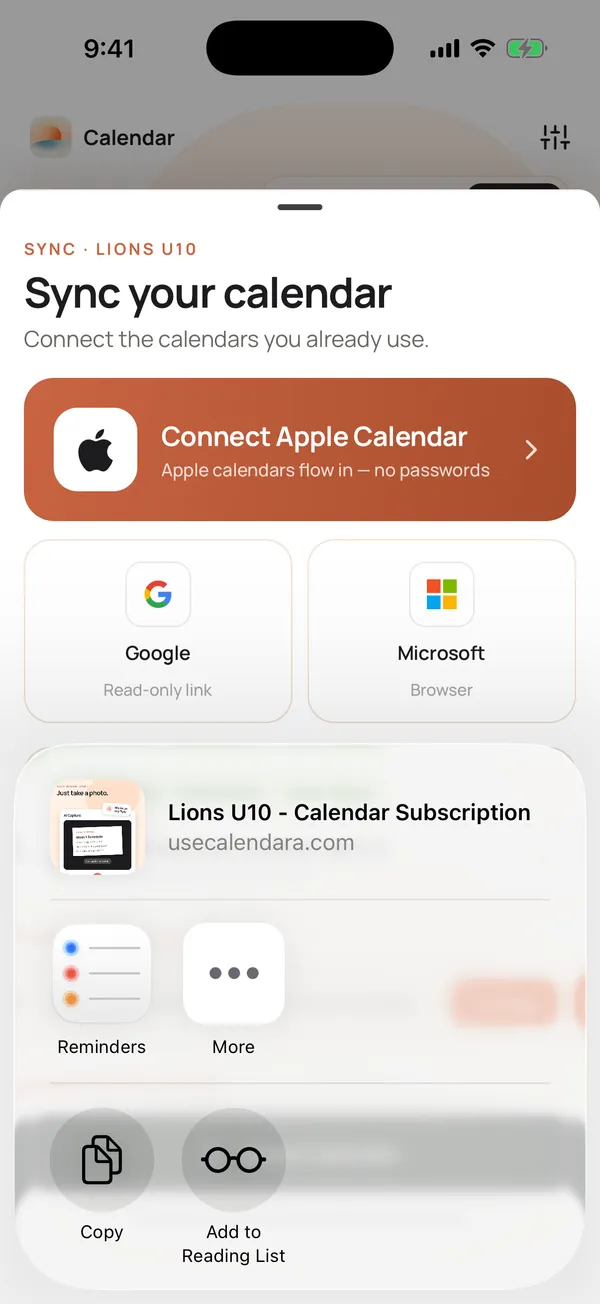
To paste the link somewhere else, like a group chat, a class newsletter or a sign-up sheet, tap Share Calendar and choose Copy in the share sheet. That copies the page link, which opens in any browser. (The Subscription link box higher up on the same sheet holds the raw calendar-app link, which is meant for adding the calendar directly, not for sending to people.)
Shortcut: share right after you import a schedule
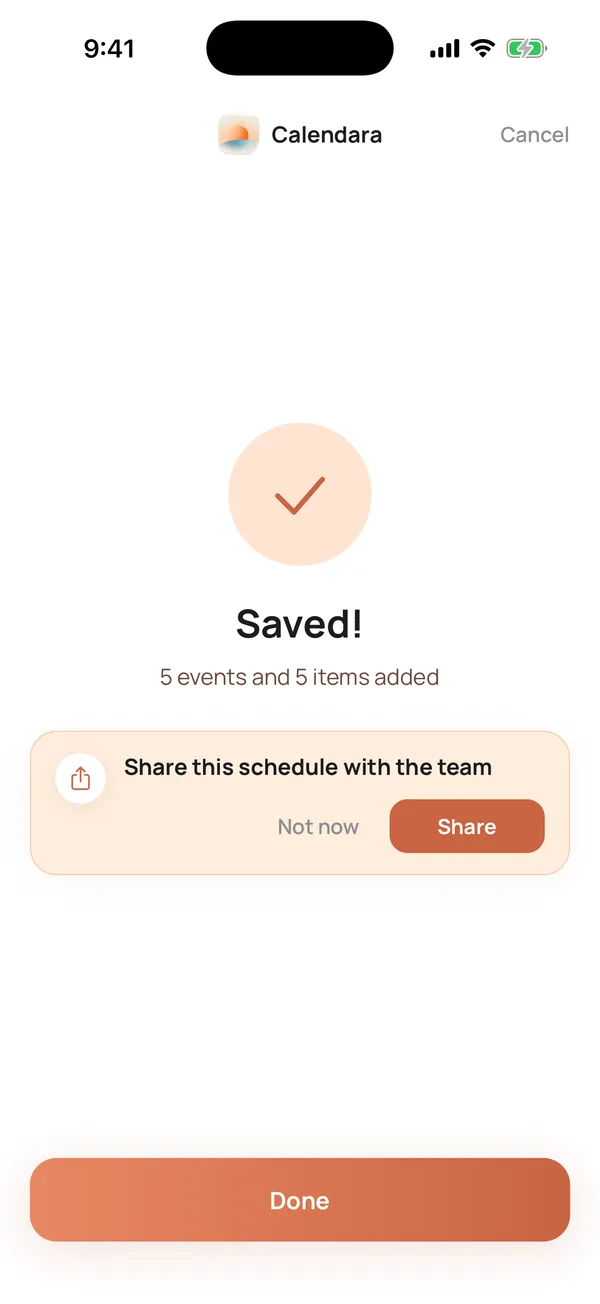
When you take a photo of a schedule and Calendara saves 3 or more events, a card appears on the Saved! screen: Share this schedule with the team. Tap Share and you skip the four steps above. The card shows once per calendar, so it will not nag you.
What do people see when they open the link?
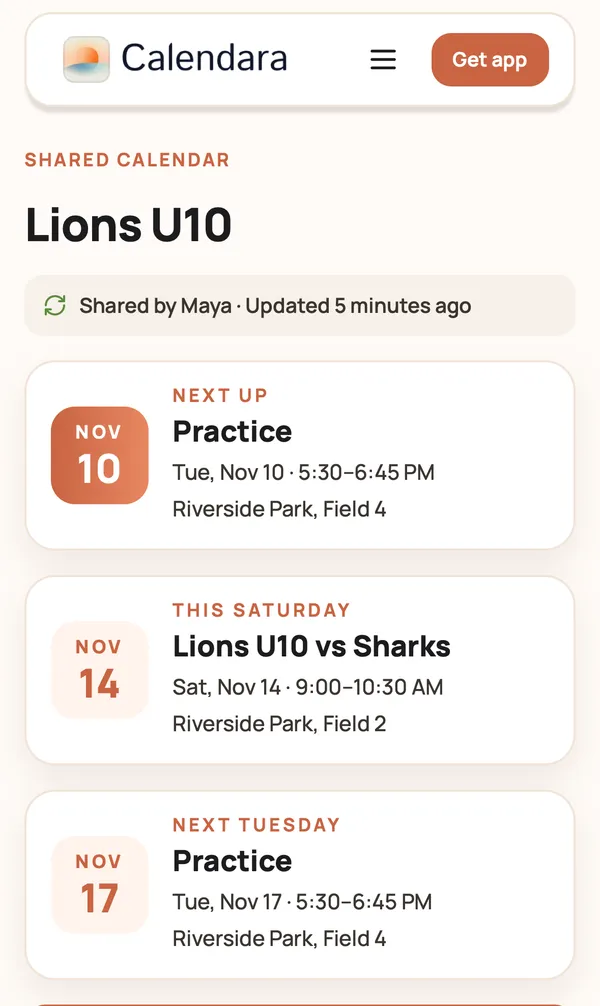
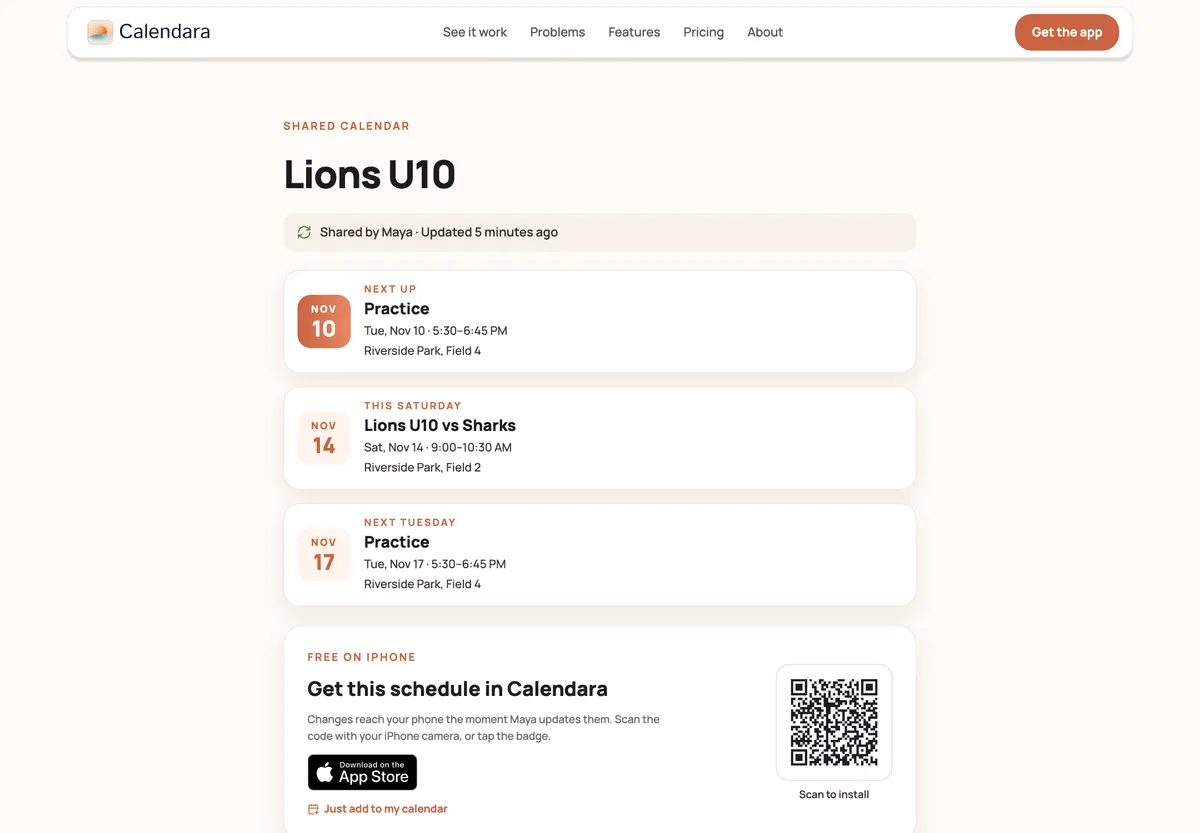
They see a clean web page. No sign-up, no app install, no password.
- The calendar name, like "Lions U10".
- A line such as "Shared by Maya · Updated 2 hours ago", so they know it is current.
- Next up: the next 3 events, in big type.
- The full schedule below that. Past events fold away under Earlier this season, so the page stays short.
Then they pick how to add it:
- Just add to my calendar on iPhone.
- Add to Google Calendar.
- Outlook or another app? Copy the calendar link. They paste that link into their calendar app as a read-only calendar.
Once they add it, new and changed events show up on their calendar by themselves. You edit a game in Calendara, and every parent's calendar catches up. Nobody has to reply "got it".
Who is a shared calendar link good for?
A link works for anyone who needs to see your calendar and does not need to change it. These are the situations we hear about most, in order:
- A school, PTA or class calendar for other parents. Share the room parent's calendar once, and every parent in the class has the field trip and the bake sale on their phone.
- A birthday party or event schedule for guests. Put the party plan, the pick-up time and the pizza time in one calendar. Share the link in the invite.
- Your family calendar for grandparents, a nanny or a partner on Android or Google. They see what is happening this week in the calendar app they already open. Calendara itself is iPhone-only, and the link is how everyone else follows along. For people who should add events too, invite them to your family instead.
- A sports team. The Lions U10 schedule, from one photo, shared in the team chat. There is a full walkthrough for the team parent.
- A church small group or club. Meeting dates, potlucks and service days in one place.
- A work shift schedule for someone who needs to know when you work. A partner can plan dinner around your shifts without asking.
Looking for a personal busy and free link for a booking tool like Calendly? That is a different link. See how to use Calendara with Calendly.
Good to know
- It is read-only for viewers. People who open the link can see events. Only you can add or change them, in Calendara.
- Google Calendar is not instant. Google refreshes subscribed calendars on its own schedule, usually within a few hours and sometimes up to a day. Apple Calendar is usually faster. For a same-day change, send a quick text too.
- The link keeps updating while you have Calendara Pro or your 7-day free preview. If that lapses, the shared page says the calendar stopped updating.
- Treat the link like a key. Anyone who has it can see the events in that calendar. Share a calendar that holds only what people should see, like the team schedule, not your whole family calendar.
- Outlook is read-only. Outlook users add the calendar as a read-only calendar with the copied link. Their events do not flow back to you.
- You need an iPhone, they do not. Calendara is an iPhone app. Viewers can use any phone or computer.
Quick checklist
- The calendar holds only what you want people to see
- You tapped the share icon on a calendar you own
- You sent the link by Messages, WhatsApp or Mail
- You told people to tap Just add to my calendar or Add to Google Calendar
- You know Google may take a few hours to show changes
Try it with one calendar
Pick the calendar that causes the most "wait, when is it?" texts. Share it today. Next time the time changes, you edit it once.
Put This Guide Into Practice
Download Calendara and start organizing your family calendar today.
Questions about sharing? We read everything: hello@usecalendara.com.